A dolgozóid a saját telefonjukat akarják használni. Az IT-seid mindent lezárnának. Mi a legjobb megoldás? Így válassz MAM és MDM között anélkül, hogy megbolondítanád a csapatot.
MAM vagy MDM: melyik mobilbiztonsági stratégia védi igazán a cégedet?
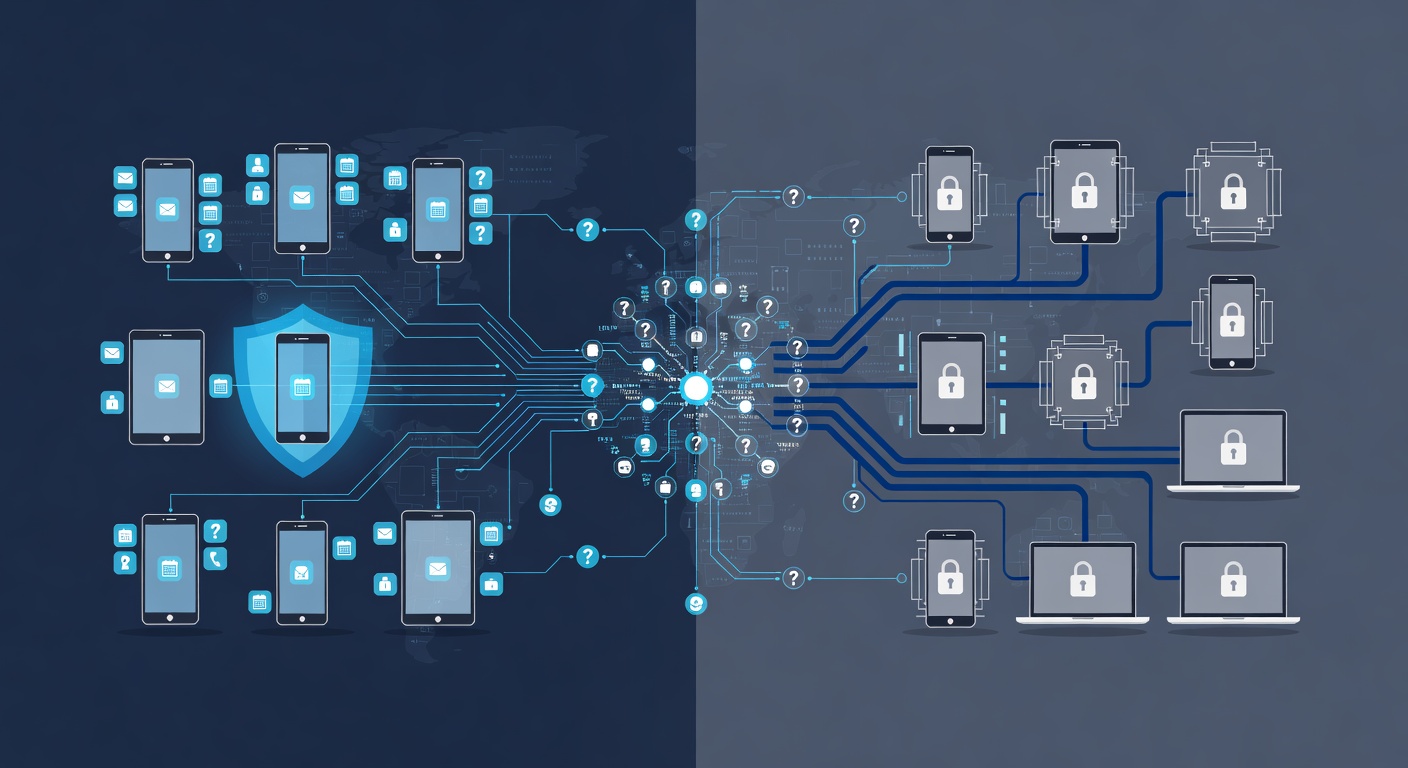
MAM vagy MDM: Melyik mobilbiztonsági módszer passzol a cégedhez?
A mobilbiztonság igazi rejtvény. A dolgozók szabadságot akarnak, a vezetők irányítást, az IT-sek pedig védik az adatokat anélkül, hogy börtöncellává változtatnák a telefonokat.
Szerencse a szerencsétlenben: nem kell kompromisszumot kötni a biztonság és a nyugalom között. Csak értsd meg a két fő stratégiát: a MAM-ot (Mobile Application Management) és az MDM-et (Mobile Device Management). Hasonló nevük ellenére más bajokra kínálnak megoldást.
A lényeges különbség: Védelem kontra Teljes irányítás
A MAM olyan, mint egy zárt doboz a telefonon belül. Itt élnek a céges appok és adatok titkosítva, elkülönítve a magánélettől. A Facebook, a fotók, a függő játékok érintetlenek maradnak. A szabályok csak a munkás részre vonatkoznak.
Az MDM más tészta. Ez olyan, mintha az IT-nek megadnád a telefon minden kulcsát. Távolról törölhetsz mindent, ha valaki lelép, kikényszerítheted a biztonsági beállításokat, követheted a helyét, és központi panelről irányítasz mindent. Teljes hatalom.
Az egyik tiszteletben tartja a magánszférát. A másik megnyugtató az IT álmához. Lássuk, neked melyik kell.
Saját telefont használnak? MAM a nyerő
Ha BYOD-politikátok van – vagyis mindenki a sajátját hozza –, az MDM-re senki sem bólint. Képzeld el: azt mondod a dolgozónak, hogy mostantól a cégé a privát iPhone-ja. Jogilag és erkölcsileg is baklövés.
A MAM itt a okos megoldás. Te kapsz:
- App-kontrollt a munkához
- Titkosítást minden céges adatra
- Szabályokat képernyőképre, másolásra, megosztásra
- Távolról frissítést
- Csak a céges adatok törlését lopás vagy kirúgás esetén
A dolgozó meg:
- Megtartja a telefonját privátnak
- Telepít, amit akar a munkán kívül
- Nem érzi magát megfigyeltnek
MAM bevezetése gyakorlatban: Könnyű beüzemelni. Microsoft 365-tel délutánra kész a biztonságos app-portál. A gond nem a technika, hanem a magyarázat. Sokan félnek, hogy kémprogram. Nem az, de győzködni kell.
Figyelem: A MAM terhelheti a gépet. Régi Androidokon lassulhat a titkos doboz miatt. Ha öreg telefonok vannak, frissítésre kell rábeszélni a főnökséget.
Céges telefont adtok? MDM a legjobb barát
Ha a cég veszi a telefonokat, MDM a logikus választás. Saját tulajdon, teljes kezelés.
Ez adja:
- Kötelező zárolást, titkosítást, frissítéseket mindenhol
- Távolról törlést elvesztés vagy távozáskor
- Eszközkövetést (drága cuccoknál praktikus)
- Áttekintést, mi fut a céges masinákon
- Egyszerű beléptetést és kiléptetést
Hátrány? Nehezebb telepíteni, mint MAM-et. Nemcsak appokat tolsz, hanem minden platformot (iOS, Android, Windows) be kell vonni, és platformonként más a folyamat. Szakember kell, ne az IT-túlműködője.
Előny: Utána simán megy az újak bevezetése. Később könnyű.
Csavar a történetben: Lehet mindkettő
Sok cég keveri: MDM céges telefonokra, MAM sajátokra. Bonyolultnak tűnik, de rugalmas – különböző védelem különböző esetekre.
Kis-közepes vállalkozásoknál ritka. Válassz egyet a fő esetre, és ragaszkodj hozzá. Aki saját telefont akar, MAM vagy semmi adat. Céges telefon BYOD-közegben meg kapja az MDM-et.
Mi a valódi tét?
Őszintén: a legnagyobb akadály nem technikai, hanem a beszélgetés. MAM vagy MDM, mondd el: ez nem kémkedés, hanem védelem mindenkinek. Céges titkoké, de a dolgozók adatai is biztonságban.
Ezt tedd előbb, mint a kapcsolót. Magyarázd el a miértet, és együttműködőbbek lesznek.
Összefoglalva
MAM, ha: BYOD van,隐私 kell a saját telefonon, csak munkás appokat védesz.
MDM, ha: Cég adja a telefont, részletes kontrollt akarsz, központi kezelést az egész flottára.
Mindkettő, ha: Kevert a helyzet, és bírjátok két rendszert.
Bármelyiket választod, előrébb jársz, mint a többség. Sok cég még mindig elhanyagolja a mobilt, pedig ma ott van a munka szíve. A telefonok az új laptopok. Kezeled őket úgy!
Címkék: ['mobile security', 'mam', 'mdm', 'byod policy', 'device management', 'cybersecurity', 'data protection', 'it strategy', 'business security']