معظم الشركات بتعامل النسخ الاحتياطي للبيانات زي التأمين—تشتريه وتنساه، وتتمنى ما تحتاجه أبداً. بس ده السبب بالضبط إن 60% من الشركات اللي بتفقد بياناتها الحساسة بتنهار خلال 6 شهور. الحل الحقيقي مش برامج جاهزة؛ ده خطة نسخ احتياطي مصممة خصيصاً لطريقة عمل شركتك فعلياً.
خطط النسخ الاحتياطي العادية تقضي على شركتك بهدوء.. وكيف تحميها بدلًا من ذلك
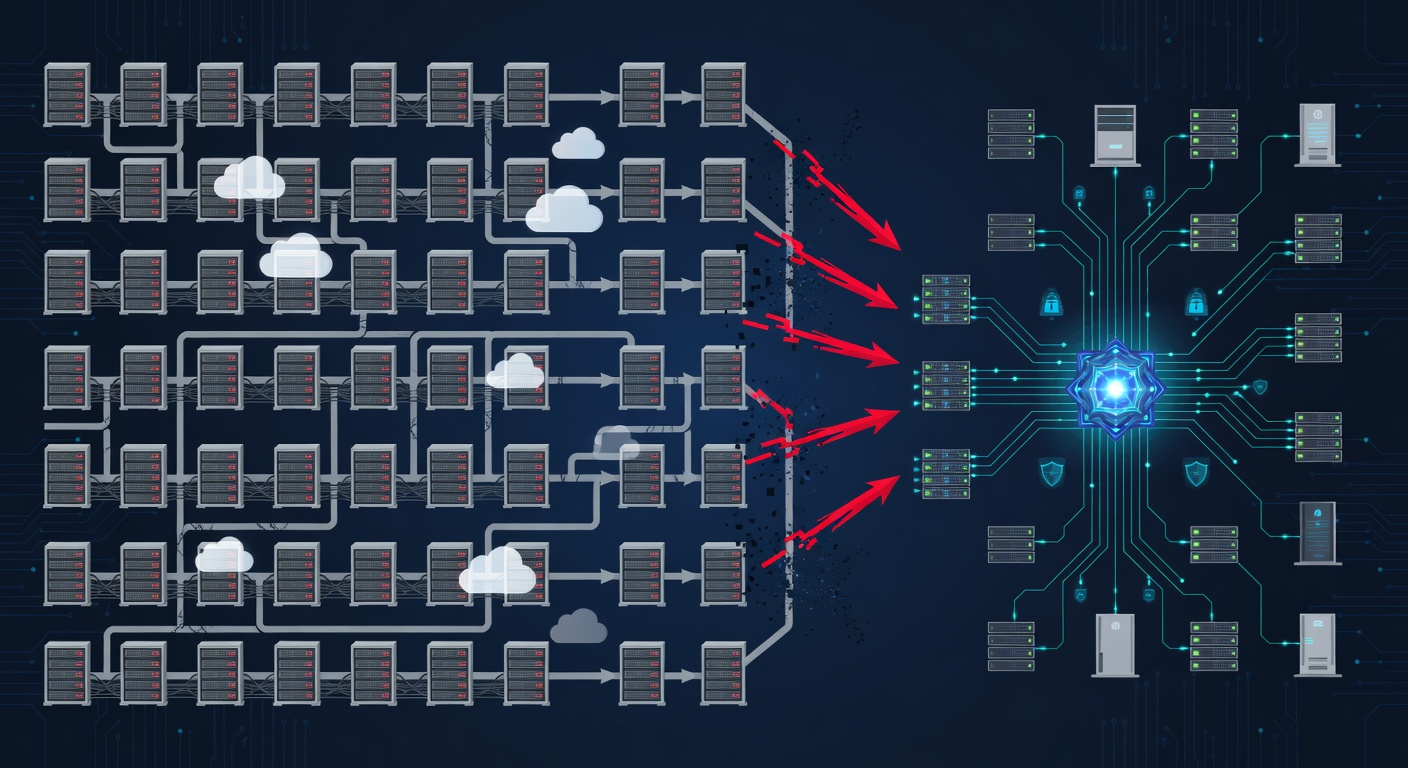
ليه حل النسخ الاحتياطي العادي ممكن يخذلك
صديقي، زمان كنت أفكر إن النسخ الاحتياطي شغلانة مملة. وصل هارد خارجي، حدد التشغيل ع الساعة 3 الفجر، وخلص. بس بعدين شفت شركة تسويق صغيرة فقدت 3 سنين شغل عملاء بسبب هجوم رانسوموير. النسخ الاحتياطي كان على نفس الشبكة. البرمجية الضارة خدت ثواني وشفرت كل حاجة.
هنا فهمت حاجة كبيرة: الحلول الاحتياطية مش واحد للكل. بيانات مكتب محاماة مختلفة عن مصنع. عيادة طبية تحتاج امتثال لـ HIPAA. شركة SaaS عايزة استعادة فورية. معظم الشركات بتاخد أي حاجة يقترحها الـ IT وتصلي.
المشكلة إن النسخ الجاهز مش بياخد باله من اللي يهم عملك فعلاً.
تكلفة النسخ "الكافي بس" اللي بتوجع
اللي بيقلقني في كلام النسخ إن الناس بتركز على الحاجات الغلط. بيسألوا "كام مساحة أحتاج؟" بدل "إيه البيانات اللي لو راحت هتدمر الشغل؟"
تلك الشركة التسويق؟ كانوا فاكرين نفسهم محميين. الـ IT وراهم النسخ شغال. بس محدش جرّب الاستعادة. محدش عارف أي ملفات عملاء الأولوية. محدش فاهم الروابط بين بيانات المشاريع والحسابات.
لما الضربة جات، عندهم تيرابايت بيانات، بس مش عارفين يرجعوا إيه الأول. خسروا عقود. عملاء راحوا. نسخة "كافية" كلفت 200 ألف دولار.
ده بيحصل لأن النسخ بيتقابل عليها زي مهمة تقنية، مش استراتيجية عمل.
قاعدة 3-2-1: النسخ الزيادة أحسن من الدعاء
دعني أعرّفك على قاعدة الـ IT اللي معروفة من زمان بس مش بنتكلم عنها كتير: قاعدة 3-2-1 للنسخ.
بتشتغل كده:
- 3 نسخ من البيانات (الأصلي + نسختين احتياطي)
- 2 نوع تخزين مختلف (سحابة + هارد خارجي، أو سحابة + شريط)
- 1 مكان خارجي (بعيد تماماً عن المكتب)
ليه مهمة؟ الكوارث الحقيقية مش بتيجي لوحدها. رانسوموير يضرب البيانات الرئيسية والنسخ المحلية. عطل سيرفر يفسد النسخ. كارثة طبيعية تاخد المبنى كله. لو كل النسخ في مكان واحد أو نوع تخزين واحد، حدث واحد يمسح الكل.
القاعدة دي بتعمل تكرار في كل خطوة. مش خوف زايد، ده حساب بسيط.
أنا بشوفها كده: لو معتمد على نسخة واحدة، أنت مش محمي. أنت بس بتتمنى ما يحصلش حاجة للنسخة دي كمان.
إيه شكل استراتيجية نسخ احتياطي مخصصة بجد
هنا الجزء الحلو. التخطيط الحقيقي مش بيبدأ بالتكنولوجيا. بيبدأ بحوارات.
التقييم الصح يعني كلام مع كل قسم في الشركة:
- المالية تهتم ببيانات نهاية السنة، السجلات الضريبية، تاريخ المعاملات.
- العمليات عايزة جداول الإنتاج، المخزون، بيانات الموردين.
- المبيعات محتاجة قواعد بيانات العملاء والصفقات.
- الموارد البشرية تخزن سجلات الموظفين الحساسة والامتثال.
كل قسم له وقت استعادة مختلف. إيميل يقف 4 ساعات مزعج. قاعدة عملاء 4 ساعات = خساير فلوس. سجلات مالية أسبوع = مش هتقدر تدفع رواتب.
الاستراتيجية المخصصة ترتب حسب الأهمية وتبني خطة استعادة تطابق أولويات العمل.
بعدين الجزء التقني: اختيار مزيج التخزين الصح.
السحابة رهيبة للوصول السريع والتكرار. ترجع من أي مكان فوراً. بس تكلفتها تراكمية، وبطيئة لكميات كبيرة.
الهارد الخارجي أو الشرائط رخيصة وسريعة للبيانات الكبيرة. بس عرضة للسرقة أو التلف.
التخزين الخارجي يحمي من الكوارث بس يزود التعقيد.
الحل الصحيمزيج التلاتة – بس إيه البيانات في أنهي مكان يعتمد على عملك.
عامل الراحة النفسية (اللي بيوفر فلوس فعلاً)
حاجة مش بتنزل في الجداول بس بتأثر على الشغل: تكلفة الشك.
لما مش عارف النسخ شغالة ولا لأ، في قلق دائم. الفريق متوتر. الإدارة قلقانة. بتضيع تركيز على النمو عشان بتفكر في الكارثة.
لما تعرف إن النسخ صلبة؟ القلق يروح.
كمان تكلفة "مسرحية الاستعادة". شركات بتقضي أسابيع تحاول ترجع من نسخ تالفة أو ناقصة. أو تكتشف إن أهم البيانات مش منضمة. الأسابيع دي خساير في التوقف والإنتاجية والـ IT الطارئ.
نظام مصمم صح مع اختبارات منتظمة؟ ترجع في ساعات مش أسابيع.
الامتثال بيطلب إيه (وإيه مش بيطلب)
بنشوف كتير لبس حول الامتثال والنسخ. الشركات فاكرة لازم تنسخ كل حاجة عشان GDPR أو HIPAA.
الحقيقة: اللوائح تهتم بالتوافر والأمان، مش نسخ كل حاجة حرفياً.
HIPAA بتقول بيانات الصحة لازم محمية وقابلة للاستعادة. مش بتحدد تقنيات معينة.
GDPR بتحمي البيانات الشخصية. مش بتقول 3 نسخ في مكانين.
بس اللوائح دي بتطلب توثيق. دليل إنك جربت النسخ. يقين إن البيانات الحساسة محمية.
هنا يجي SOC 2 Type II. تدقيق خارجي يثبت ممارسات الأمان. مش قانوني، بس مطلوب من عملاء كبار، شركات تأمين، وأي حد جاد.
لو بتتعامل مع بيانات منظمة، الشهادة دي مش رفاهية – بقت شرط للعقود.
الانتقال من نظام نسخ معطل
بكلم شركات كتير عالقة مع حلول نسخ مش شغالة تاني.
يمكن كبروا أكتر منها. أو غير موثوقة. أو محدش عارف يرجع منها عشان اللي عملها مشى من 5 سنين.
الانتقال يخوف. يبان إنه هيوقف الشغل. بس الحقيقة: تخطيط صح مش فوضى أسابيع.
الخطوات:
فحص اللي عندك. فهم النظام الحالي، إيه الشغال وإيه المعطل، واكتشف الثغرات.
خطة انتقال. جدول يمشي مع عملك. ابدأ بالبيانات الحرجة.
اختبر كل حاجة. قبل التحويل الكامل، تأكد النسخ الجديدة شغالة والاستعادة ممكنة.
شغّل الاثنين مع بعض مؤقتاً. خلي القديم يشتغل لحد ما الجديد يثبت نفسه. بعدين اقطع القديم.
وثّق كل حاجة. الفريق يعرف إزاي يشتغل النظام الجديد، فين النسخ، وكيف يطلب استعادة.
الشركات اللي بتعاني هي اللي بتعمل زي مفتاح كهربا – تقلب كل حاجة مرة واحدة. اللي تنجح بتعاملها زي تمريرة حذرة مع تداخل وتأكيد.
الأسئلة اللي لازم تسألها بجد
لما تقيّم حلول نسخ، سيب المواصفات التقنية واسأل:
"لو بياناتي الحرجة راحت النهاردة، كام هترجعني للشغل؟" (ساعات؟ أيام؟ لو أيام، مشكلة).
"إزاي أتأكد إن النسخ شغالة فعلاً؟" (مش "بتعمل نسخ؟" بل "أشوف دليل نجاح الاستعادة؟").
"لو الشركة اللي بتعمل النسخ فشلت، إيه؟" (لازم ترجع بياناتك بدون قفل دائم).
"ده يلبي شروط الامتثال بتاعتي؟" (اكتبها كتابة مع تفاصيل).
"تكلفة الاستعادة الكاملة كام؟" (بدون مفاجآت).
"وقت الاستعادة لأنواع بيانات مختلفة إيه؟" (سرعات مختلفة لبيانات مختلفة).
الأسئلة دي تفصل الخطط الحقيقية عن المسرحية.
ليه الموضوع ده أهم دلوقتي من أي وقت
هجمات الرانسوموير أذكى. الاختراقات أكتر. الشركات معتمدة على بياناتها زي الأكل.
تكلفة فقدان البيانات مش بس الاستعادة – خساير إيرادات، سمعة تالفة، غرامات قانونية.
في نفس الوقت، بنية النسخ الاحتياطي الصح أرخص من أي وقت. السحابة رخيصة. التكرار ممكن للشركات الصغيرة. الاختبار آلي.
مفيش عذر دلوقتي لخطة نسخ "نتمنى الهارد ما يفشلش".
الخلاصة
استراتيجية النسخ الاحتياطي لازم تكون زي عملك تماماً. تعكس اعتمادك على البيانات، أولويات الاستعادة، وواقع الامتثال.
اختبرها بانتظام. وثّقها بوضوح. وتعطيك راحة نفسية حقيقية، مش ثقة كاذبة.
لأن لما الكارثة تضرب – وهتضرب – مش عايز تكتشف إن النسخ فشل صامت شهور. عايز تعرف بالتأكيد إنك تقدر ترجع عملك زي الأول.
ده مش خوف. ده عمل ذكي.
الكلمات الدالة: ['data backup strategy', 'cybersecurity', 'business continuity', 'data protection', 'managed backup services', 'ransomware protection', 'hipaa compliance', 'gdpr', 'it security', 'disaster recovery']